1. Start Terminal Applications -->Accessories -->Terminal
and then use the following command to download the .deb package
wget http://media.codeweavers.com/pub/crossover/chromium/cxchromium_0.9.0-1_i386.deb2. Now install the package using the following command
sudo dpkg -i cxchromium_0.9.0-1_i386.debNow it get a bit tricky for new users to Ubuntu and Linux but follow along and you should do fine. We need to Use the Ubuntu PPA (Personal Package Archives)
3. While still in Terminal use the following command
sudo gedit /etc/apt/sources.listThis will bring up a document and you need to add the following line to the bottom of the source list.
deb http://ppa.launchpad.net/chromium-daily/ppa/ubuntu jaunty main
deb-src http://ppa.launchpad.net/chromium-daily/ppa/ubuntu jaunty main
Then Save and Exit the Document
4. Now enter the following command
sudo apt-key adv --recv-keys --keyserver keyserver.ubuntu.com 0xfbef0d696de1c72ba5a835fe5a9bf3bb4e5e17b55. Update your source list with the following.
sudo apt-get update6. Install the Chromium Browser
sudo apt-get install chromium-browser7. Thats it go to Applications->CrossOver Chromium->Chromium to enjoy!
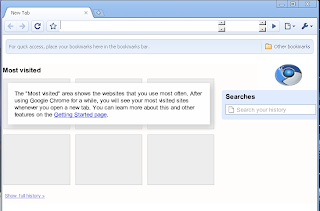
* Please note that there are currently no stable releases of the Chromium Browser. This is simply a current UnStable Version I will update the blog when a stable version is release.


